ANDROID 13+
Tablet or phone.
USB with a data cable, or same-network Wi-Fi.
Native USB needs no router, browser, or USB debugging. Requires a device with USB accessory support and a compatible H.264 decoder.
 SecondScr
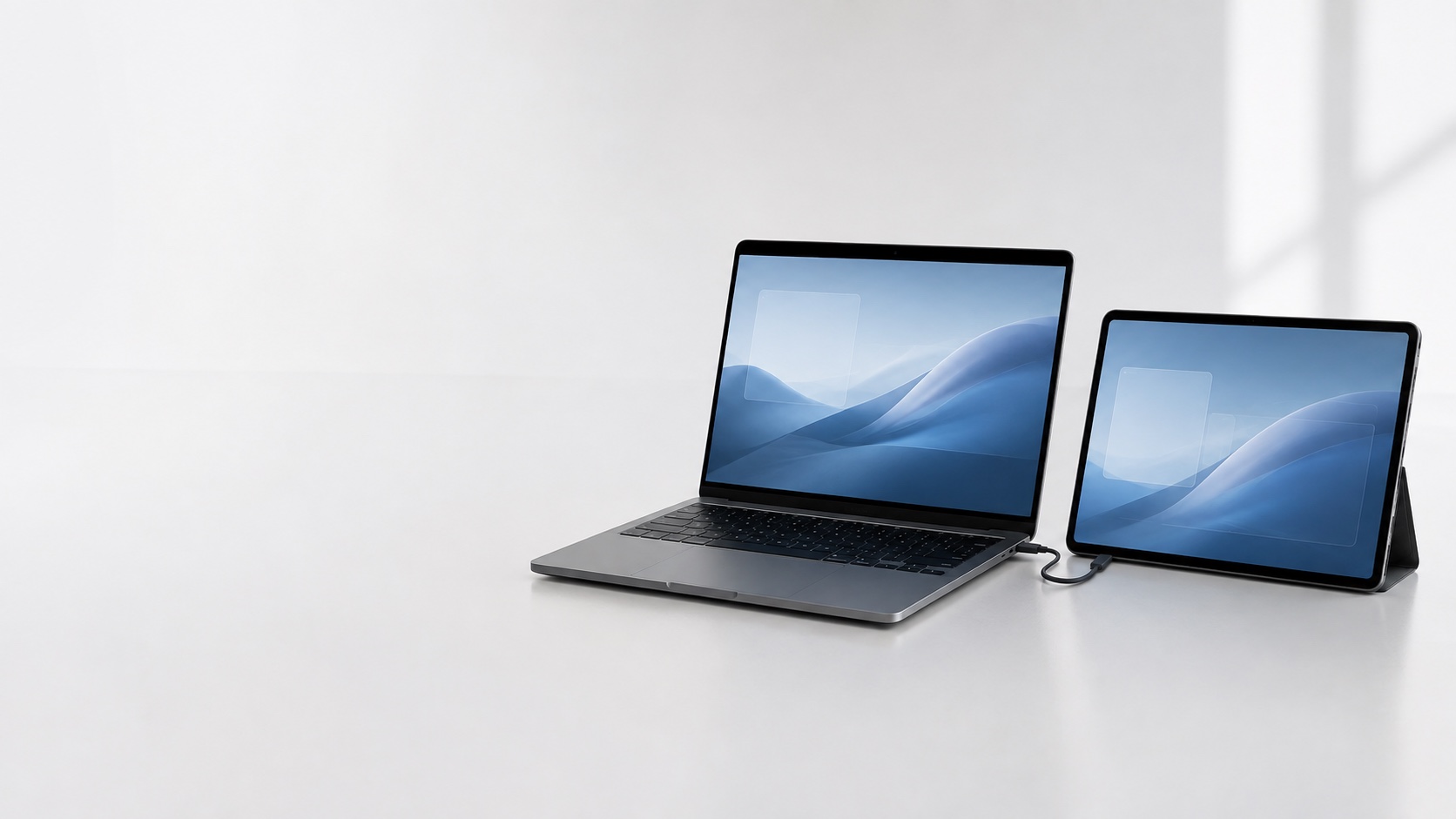
Your Mac. More room.
Your next display
is already here.
Extend your desktop to a tablet, phone, or another Mac. Move your windows and pointer onto the extra screen, and work from your Mac.
Extended desktop sender + Mac receiver · Separate downloads
01 / Connections
Keep your tools on the Mac and your reference material on an extra display. Choose a wired or wireless receiver that fits as you rotate, resize, or enter fullscreen.
USB with a data cable, or same-network Wi-Fi.
Native USB needs no router, browser, or USB debugging. Requires a device with USB accessory support and a compatible H.264 decoder.
USB or Nearby peer-to-peer Wi-Fi, without a router.
Keep the native app open. Same-network Wi-Fi is also available in the native receiver.
Same-network Wi-Fi or Thunderbolt.
Turn an older iMac or MacBook into an extended display. The Mac receiver supports experimental uncompressed 5120 × 2880 pixels on compatible 5K displays over a Thunderbolt cable. It sends only changed areas to make desktop work more responsive, preserving every pixel.
Fullscreen playback keeps the picture clear: the receiver cursor appears as you move it and hides after one idle second in the latest receiver.
Full 5K Thunderbolt streaming has been tested with a 2017 iMac. These improvements are included in sender 0.2.6 and receiver 0.2.2. Big Sur hardware testing remains pending. See release availability ↓
02 / Setup
Install a compatible sender on an Apple silicon Mac with macOS 14+. Allow Screen Recording so SecondScr can share its extended display.
Open the companion app, choose your connection, and enable the display. For same-network Wi-Fi, both devices must be on a network that allows them to reach each other.
Choose your receiver and connection in the Mac menu. For network pairing, compare the six digits on both screens and confirm once on the receiver. Verified direct Thunderbolt connections approve automatically. While connected, use Open macOS Displays… in SecondScr to adjust resolution, text size and arrangement.
Using the current browser edition? Install the Mac app, connect both devices to the same Wi-Fi, and follow the address and pairing instructions shown in the Mac panel. No companion app is needed for browser receiving.
03 / Requirements
Local by design
No account or cloud service is needed to share a display. Native network video is encrypted by default. Updated Mac receivers allow an explicit video-encryption opt-out; pairing and controls remain encrypted. Matching-number approval protects network pairing; verified direct Thunderbolt connections approve automatically. Direct USB uses the device’s USB permission or trust flow.
04 / Everyday use
Yes. The Mac receiver targets Intel and Apple silicon Macs on macOS 11 or later. Full 5K streaming over Thunderbolt has been tested with a 2017 iMac using the native Mac apps. The sending Mac needs Apple silicon and macOS 14 or later. Big Sur hardware testing remains pending.
No. Native USB on Android and iPhone/iPad needs no router, and Mac-to-Mac Thunderbolt can use a direct wired network. Install the native receiver on the second device. For Thunderbolt, use a compatible Thunderbolt cable; an ordinary USB-C cable is not sufficient.
Download SecondScr sender 0.2.6 (build 64) and SecondScr Receiver 0.2.2 (build 59). Both are separate, Developer ID signed and Apple notarized apps. These builds address Thunderbolt disconnects when the sending Mac changes Wi-Fi networks; verification on a physical Thunderbolt link is still pending. Install both updates. Choose resolution and arrangement in macOS Displays, and confirm network pairing once on the receiver. Mobile apps remain development builds, with no public Android, App Store or TestFlight download yet.
Uncompressed Mac Thunderbolt video sends only changed parts of the desktop while preserving the original pixels, and keeps frame queues short. Expand Video in the sender panel to choose Uncompressed. This reduces the work needed for everyday desktop updates. Full-screen motion is more demanding; frame rate and delay depend on both Macs and the connection. End-to-end latency has not been measured, and 30 or 60 fps at 5K is not guaranteed.
Nearby peer-to-peer Wi-Fi is available for native iPhone and iPad receivers. The Mac receiver also offers a peer-to-peer preview that still needs physical testing. Android uses a shared network for wireless receiving.
Stop Sharing or Disconnect on the sender ends the session. Enable the receiver again if needed, select it on the sender, and compare the numbers and confirm once on the receiver for native network connections. Closing a native receiver or putting it to sleep stops that session.
Native receiver apps currently show video only. The browser receiver has optional tap and scroll input through Allow tablet input in the Mac app. It requires Accessibility permission on the sender.
05 / Download
Install SecondScr on your sending Mac and SecondScr Receiver on your receiving Mac.
New in sender build 64 and receiver build 59: a fix for Thunderbolt disconnects when switching Wi-Fi networks. Update both Macs; the physical cable test for this fix is still pending.
Checking the current public release…
Public installers include native receiver support. Mac-to-Mac raw Wi-Fi is experimental; start at a low resolution.
FULL DESKTOP SENDER · SECONDSCR
Intel + Apple silicon · macOS 11+ target
Checking the current public receiver release…
Native mobile apps are development builds. There is no public Android release or iOS App Store / TestFlight link yet.
Open the sender DMG and copy SecondScr to Applications on your main Mac. On your receiving Mac, open the receiver DMG and copy SecondScr Receiver to Applications. Sending requires Apple silicon and macOS 14+; receiving supports Intel and Apple silicon on macOS 11+. When updating, quit the older app before replacing it in Applications. Eject each disk image after copying.
The full sender uses a virtual-display capability that is unavailable to Mac App Store apps. The receiver has a separate Store configuration. Available downloads are Developer ID signed and Apple notarized; the receiver is not listed in the Mac App Store yet.